

Client Caching
Client caching stores responses on the client — browser, mobile app, or desktop — so that subsequent reads are served locally without touching the network at all. It is the cheapest, fastest, and most distributed cache layer: zero server load, zero network latency, infinite horizontal scale (every client is its own cache). The cost is invalidation: once a response is on a client, the server cannot easily retract or update it, so client caches must be designed around TTLs, versioned URLs, and explicit cache-busting strategies.
Foundational.
How it works
Client caching stores responses on the client — the browser, mobile app, or desktop app — so that the next request for the same resource is served locally without touching the network. It is the outermost cache layer in the standard cache hierarchy:
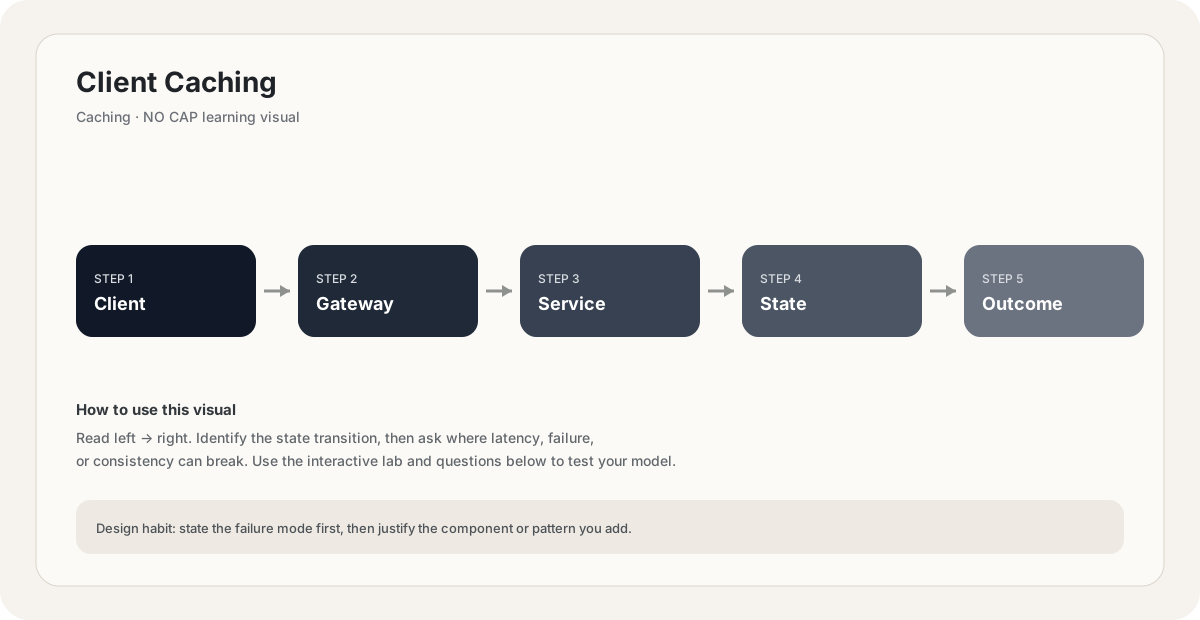
client cache → CDN → web-server cache → application cache → database cache → databaseEach layer is faster than the one to its right and harder to invalidate. Client caching is the fastest (no network at all) and the hardest to invalidate (the server has no control over the client's storage).
There are three flavors of client caching, each with its own semantics:
- HTTP cache (browser cache). Built into the browser. Controlled by HTTP headers:
Cache-Control,ETag,Last-Modified,Expires. Stores responses keyed by URL. No code needed on the client — the browser does it automatically. - Service Worker cache. Explicit programmatic control from JavaScript. The service worker intercepts
fetchevents and can serve from aCacheobject, allowing offline-first behavior. Used by Progressive Web Apps. - App-level cache. Mobile and desktop apps maintain their own cache — image caches (Glide, SDWebImage, Kingfisher), API response caches, asset caches. Controlled entirely by app code, with whatever invalidation strategy the app chooses.
HTTP cache headers — the foundation of browser caching.
The browser's cache is controlled entirely by HTTP response headers. If you control the headers, you control the cache; if you don't set headers, the browser guesses (often conservatively, re-fetching when it doesn't have to).
The key headers:
Cache-Control: max-age=N— the response is fresh for N seconds. Within N seconds, the browser serves from cache with no network call at all. This is the strongest cache directive.Cache-Control: publicvsprivate—publicmeans any cache (browser, CDN, proxy) may store it;privatemeans only the end-user's browser may store it (e.g., responses containing user-specific data).Cache-Control: no-cache— the browser must revalidate before using the cached response (conditional request withIf-None-Match). The cached response is still stored, but it is always checked.Cache-Control: no-store— the browser must NOT store the response at all. Used for sensitive data (bank balances, one-time tokens).ETag+If-None-Match— server provides an opaque version tag. On subsequent requests the browser sendsIf-None-Match: <etag>. If unchanged, the server returns304 Not Modified(no body) and the browser uses its cached copy.Last-Modified+If-Modified-Since— same idea as ETag but time-based. ETag is more precise (handles sub-second changes), Last-Modified is simpler.stale-while-revalidate=N— the response may be served stale for up to N seconds while the browser revalidates in the background. This is refresh-ahead at the client level.
The two-question decision: is this resource user-specific? → private. Is it the same for everyone? → public. Does it ever change? → no, set max-age=31536000 (one year) and version the URL. Does it change sometimes? → set a short max-age or use no-cache with ETag.
The cleanest way to make a client-cached resource updateable is to embed a version (or hash) in the URL: app.abc123.js instead of app.js. When the file changes, you change the URL to app.def456.js. The browser fetches the new URL because it has never seen it; the old URL remains in clients' caches until it expires (which is fine, because nothing references it anymore). This is why every modern bundler (webpack, Vite, esbuild) produces hashed filenames. Combine with Cache-Control: max-age=31536000, immutable for perfect caching: infinite cache lifetime, no revalidation traffic, instant updates when the URL changes.
App-level client caches.
Mobile and desktop apps do not have an HTTP cache that works transparently for API responses and images. They build their own caches with explicit invalidation strategies:
- Image caches (Glide on Android, SDWebImage on iOS, Kingfisher on Swift): cache decoded images in memory and on disk, keyed by URL. Invalidation is TTL-based or by URL change (cache-busting).
- API response caches: the app caches API responses for a TTL and revalidates. Often paired with conditional requests (
If-None-Match) so the server can return 304 cheaply. - Offline-first caches: the app stores a full local copy of the user's data (often in SQLite) and syncs with the server. Reads are always local; writes are queued and synced when online. Used by Notion, Linear, GitHub mobile, and most modern apps.
The crucial difference from browser caching: the app controls invalidation, not the server. If the app caches a response with no expiry, the server cannot force it to refresh — the app will serve stale data forever. This is why mobile apps ship with cache TTLs baked in, and why server-side cache-busting (versioned URLs, cache-version query params) is essential.
The other major risk is disk space. Unlike a browser, which manages its own cache eviction, an app's cache lives in the user's storage and can grow unboundedly. Apps must implement LRU eviction and respect system storage pressure events or risk being uninstalled for being a storage hog.
When to use client caching:
- Static assets (JS, CSS, images, fonts). Always. Versioned URLs +
max-age=31536000, immutable. - Public, slowly-changing data (product catalog, pricing). Short TTL or
stale-while-revalidate. - User-specific data with TTL tolerance (timeline, notifications).
privatecache with short TTL. - Offline-first apps (note-taking, email clients). Full local cache with sync.
- Read-heavy APIs where the client can tolerate brief staleness.
When NOT to use client caching:
- Sensitive data (bank balances, one-time tokens, PII).
no-store— do not let it sit on the client. - Data that must be fresh on every read (real-time stock prices, live scores).
no-cachewith ETag, or no cache at all. - Data the server cannot invalidate (long TTLs without versioning). A 1-year TTL on a non-versioned URL means a buggy response is cached for a year.
- Highly personalized data (per-user recommendations) without per-user cache keys. Caching by URL alone would leak one user's data to another.
You serve a JS bundle at `/app.js` with `Cache-Control: max-age=31536000`. You deploy a bug fix and rename nothing. What happens?
Pick one answer.
An API response contains the logged-in user's bank balance. Which `Cache-Control` directive should you set?
Pick one answer.
A mobile app caches API responses indefinitely with no TTL, and the backend changed the response format. After the update, the app crashes for some users. Why, and what is the fix?
Pick one answer.
Engineering mental model
Mental model. Think of Client Caching as a deliberate boundary in a system. The boundary exists because something becomes harder to manage when everything is done in one place: latency, scale, failure isolation, consistency, cost, or team ownership. The useful question is not “what does Client Caching mean?” but “what pressure makes this boundary worth introducing, and what new failure mode does it create?”
Before choosing Client Caching, name the workload, the critical user path, the dominant bottleneck, the failure you are trying to absorb, and the trade-off you are willing to accept. If you cannot name those five things, the design is probably premature.
// Pseudocode
request = receive()
result = client_caching(request)
return result

// Production questions:
// 1. What happens on timeout?
// 2. Can this operation be retried safely?
// 3. What is the bottleneck?Back-of-the-envelope reasoning
Numerical lens: write down traffic, payload size, read/write ratio, peak multiplier and durability target before choosing a component. The numbers should justify the architecture.
Interactive sandbox: Client Caching
Client-side caching multiplies effective hit rate. Predict thundering-herd risk for Client Caching.
Change one variable at a time. Predict the failure mode first, then move the slider and see whether your mental model matches the simplified system response.
If you are stuck on Client Caching, start by drawing the request path and marking every network hop, stateful component, queue, cache and failure boundary. Then estimate where the system will saturate.
You increase traffic by 10× in a system using Client Caching. What should you inspect first?
Pick one answer.
Which statement is the safest engineering habit when using Client Caching?
Pick one answer.
You have dashboards for traffic, latency, errors and saturation. You can change the architecture, but every change has operational cost.
Production scenario: your system uses Client Caching, traffic suddenly spikes, and p99 latency doubles. What is your first move?
Interview drill
Answer this without notes: When would you choose Client Caching, and when would you intentionally avoid it? Mention at least one bottleneck it addresses, one failure mode it introduces, and one alternative. Then quantify the workload you are designing for.
For Client Caching, reason in this order: what data is hottest, where can it live closer to the caller, what makes it stale, and what happens on a miss or cache failure. A cache is an optimization boundary, not the source of truth.
Numerical sanity check
A useful first-order model is cache_load = request_rate × (1 - hit_rate). If traffic is 20,000 req/s and the hit rate is 90%, roughly 2,000 req/s still reaches the origin before considering misses caused by expiration or eviction.
Do not optimize for a memorized definition. Reason from the workload and failure mode.
You have a read-heavy Client Caching path. Traffic doubles overnight. What metric would you inspect first, and what would convince you to add another cache layer?
Pick one answer.
What you gain, what you pay
- +Zero server load — the request never reaches the server.
- +Zero network latency — served from local disk or memory.
- +Infinite horizontal scale — every client is its own cache, no shared infrastructure.
- +Free — the user pays for the storage, not the operator.
- +Offline-capable — combined with a service worker or app cache, the app works without connectivity.
- −Hardest to invalidate — the server cannot reach into the client to evict.
- −Buggy responses are cached for the full TTL — no rollback.
- −Disk space on the client is finite and shared with other apps — must implement LRU eviction.
- −Per-user cache keys are required for personalized data — easy to leak across users.
- −Debugging is hard — "works on my machine" because the cache state is invisible to the operator.
How this breaks in production
- Long TTL on non-versioned URL → buggy response cached for months.
- Per-user data cached under a shared URL → cross-user data leakage.
- Sensitive data cached on a shared device → next user sees the previous user's data.
- App cache with no TTL → stale response parsed by new code → crash.
- Service worker stuck serving an old version → app cannot update until SW is forcibly updated.
- Cache key collisions across API versions → mixed-format responses.
Don't fall into these traps
- •Setting `max-age=31536000` on a non-versioned URL — deploy-time bug fix is invisible for a year.
- •Using `Cache-Control: public` for user-specific data — leaks across users via shared proxies.
- •Forgetting `no-store` on sensitive responses — bank balances cached on shared library computers.
- •Not implementing cache eviction in mobile apps — app storage grows unboundedly until uninstall.
- •Treating the client cache as just another Redis — it is not observable, not invalidate-able, and shared with the user's other apps.
- •Not versioning cache keys when changing API response formats — old cached responses parsed by new code → crashes.
Real systems using this
How real systems implement this
- Webpack / Vite / esbuild hashed bundle filenames — Modern JS bundlers emit content-hashed filenames (app.abc123.js) so that static assets can be cached for a year (`max-age=31536000, immutable`) and updates are deployed by changing the URL — the canonical client caching pattern.
- Twitter Lite / Pinterest PWA — Service workers cache the app shell and static assets for offline-first use. The shell is versioned; updates ship as a new service worker version that takes over on next page load.
- Glide (Android) / SDWebImage (iOS) image caches — Image-loading libraries cache decoded images in memory and on disk, keyed by URL. Invalidation is TTL-based or via URL change. LRU eviction keeps disk usage bounded.
- Notion / Linear offline-first local cache — Desktop and mobile clients maintain a full SQLite replica of the user's data. Reads are always local (sub-ms); writes are queued and synced via a delta protocol when online.
Practice saying it out loud
- Q1How would you cache static assets for a website with millions of users? What headers would you set, and how would you handle updates?
- Q2A user reports seeing stale data after a deploy. Walk through every cache layer where the stale data could be hiding.
- Q3Your mobile app crashes for some users after a backend API format change. What went wrong, and how do you prevent it next time?
- Q4When should you use `no-store` vs `no-cache` vs a short `max-age`?
- Q5How do service workers change the client caching story? What new capabilities and risks do they introduce?
Further reading & references
Core explanations are original NO CAP material. External references are provided for deeper study and standards.
What next?
Mark as understood once the mental model clicks.
Next recommended
CDN Caching