

Rate Limiting
Rate limiting caps how many requests a client can make in a time window. It protects services from abuse (DDoS, scraping), ensures fair resource sharing, and prevents cascading failures. Common algorithms: token bucket, leaky bucket, fixed window, sliding window.
How it works
Rate limiting caps how many requests a client can make in a time window. Example: '100 requests per minute per API key'. If the client exceeds the limit, the server returns 429 Too Many Requests with a Retry-After header telling the client when to try again.
Rate limiting serves three purposes:
- Protection: prevents abuse (DDoS, scraping, brute force).
- Fairness: ensures one client can't monopolize resources.
- Cost control: caps the resources any single client can consume.
Token bucket is the most common algorithm:
- The bucket has a capacity (max tokens, e.g., 100).
- Tokens are added at a refill rate (e.g., 10/second).
- Each request consumes 1 token.
- If the bucket is empty, the request is rejected (429).
This allows short bursts (up to capacity) while maintaining an average rate (refill rate). It's used by AWS API Gateway, Stripe, and GitHub.
In a single-server system, rate limiting is easy: an in-memory counter per client. In a distributed system (multiple servers behind a load balancer), you need shared state — typically Redis:
- Each server checks/updates the counter in Redis.
- Redis
INCR+EXPIREis the standard pattern. - This adds 1 Redis round-trip per request (~1ms), which is acceptable.
- For higher performance, use sliding window logs or sliding window counters (approximation).
When rate limiting, return 429 Too Many Requests with: Retry-After: 30 (seconds to wait) and a body explaining the limit. Good clients respect this. Bad clients get rate-limited repeatedly. Without the header, clients can't tell how long to wait and may retry immediately — causing more load.
Your API allows 100 requests per minute per API key. A client sends 200 requests in the first 10 seconds of the minute. What should happen?
Pick one answer.
You have 5 API servers behind a load balancer. You need to rate-limit clients at 100 requests/minute globally (not per server). What do you need?
Pick one answer.
| Dimension | Fixed Window | Sliding Window (counter) | Sliding Window (log) |
|---|---|---|---|
| How it works | Count requests in [t-60s, t]. Reset at minute boundary. | Maintain a counter per minute; current rate = weighted sum of current + previous minute's counter | Store timestamps of each request; count timestamps in [now-60s, now] |
| Burst at boundary | Yes — 2x burst possible (100 at t=59s + 100 at t=61s = 200 in 2s) | Reduced — weighted counter smooths boundary | None — exact count in any 60s window |
| Memory per client | 1 integer (counter) + 1 timestamp | 2 integers (current + previous counter) | O(N) — one timestamp per request in window |
| Accuracy | Poor at boundaries | Good (within ~10%) | Exact |
| CPU cost | O(1) per request | O(1) per request | O(N) per request (must scan or use sorted set) |
| Typical use | Coarse API limits where burst at boundary is acceptable | Most production API rate limiters (Cloudflare, Stripe, GitHub) | Critical per-user limits where exactness matters (paid APIs) |
| Real systems | Simple in-memory limits | Redis + sliding-window counter (common) | Redis sorted set (ZADD/ZREMRANGEBYSCORE) |
Real example: GitHub API rate limits.
GitHub's REST API (documented at docs.github.com/rest) uses a token-bucket rate limiter per API key, with three tiers:
- Unauthenticated requests: 60 requests/hour per IP. Very low — GitHub wants every script to authenticate so they can identify abusive clients.
- Authenticated requests (basic / OAuth token): 5,000 requests/hour per token. Standard for most integrations.
- GitHub Apps (per-installation): 5,000 requests/hour per installation, plus higher limits for specific high-volume endpoints (e.g., 12,500/hour for listing commits).
Every API response includes three headers that tell the client the current state:
X-RateLimit-Limit: 5000
X-RateLimit-Remaining: 4993
X-RateLimit-Reset: 1700000000   # Unix timestamp when the window resets
X-RateLimit-Used: 7
X-RateLimit-Resource: core
When the client exceeds the limit, GitHub returns HTTP 429 with Retry-After: <seconds until reset>. Good clients back off until the reset time; bad clients retry immediately and get more 429s, wasting both their own and GitHub's resources.
The headers are the key design lesson: rate limiting is a contract between client and server. The server enforces limits; the client cooperates by respecting Retry-After. Without the headers, clients can't cooperate — they either retry blindly (causing more load) or give up (causing user-visible failures). The X-RateLimit-* headers are now an industry-standard pattern, adopted by Stripe, Twitter/X, AWS, and most modern APIs.
GitHub also implements conditional requests via ETag and If-None-Match as a complement to rate limiting: if the resource hasn't changed since the client's last fetch, GitHub returns 304 Not Modified — and these conditional requests don't count against the rate limit. This is a great pattern: rate limiting caps abusive traffic; conditional requests make polite traffic cheaper.
When your service returns 429, it MUST include Retry-After: <seconds> (RFC 7231). Without it, well-behaved clients don't know how long to wait — they either retry immediately (compounding the load) or back off exponentially with random jitter (often over-correcting). With it, the client knows exactly when to retry, and load spikes dissipate quickly. Pair it with X-RateLimit-Limit, X-RateLimit-Remaining, and X-RateLimit-Reset headers (GitHub's pattern) so clients can self-throttle proactively — never hitting the limit in the first place. Skipping these headers turns rate limiting from a contract into a guessing game.
Your API allows 100 requests per minute per API key, using a token bucket with capacity C=100 and refill rate R=10/sec. A client uses all 100 tokens in the first second, then immediately sends another request. What HTTP response should the server return, and what should the Retry-After header be?
Pick one answer.
Rate-limit key choice — per-IP, per-user, per-API-key.
The rate-limit key determines what 'one client' means, and getting it wrong breaks either your service or your users. Three common choices:
Per-IP. The simplest. Works for anonymous traffic and DDoS protection. But two critical failure modes:
- Carrier-grade NAT (CGNAT) — most mobile users and many home users share a single public IP with hundreds or thousands of other users. If you limit per-IP to 100 req/min, you'll rate-limit legitimate users because they're sharing an IP with a scraper. A single bad actor on a CGNAT IP can get everyone on that IP rate-limited.
- IPv6 hoarding — some scrapers have /64 IPv6 blocks (18 quintillion IPs). Per-IP rate limiting is meaningless if the attacker has essentially unlimited IPs.
Per-API-key. The right choice for authenticated API traffic. Each registered API key gets a bucket; abuse is attributable; the rate limit can vary by tier (free vs paid). Failure modes: API keys leak (rotateable mitigation); a single user creates many API keys to evade limits (mitigation: rate limit by account, not just by key).
Per-user (authenticated). Strongest. Each logged-in user gets a bucket, regardless of which API key or IP they use. The right choice for user-facing apps.
The production pattern: layered limits.
- Edge / IP-level (Cloudflare, AWS WAF): protects against DDoS, volumetric abuse. High limit (e.g., 1000 req/min per IP).
- API-key level (API gateway): per-application limit (e.g., 100 req/min per key).
- User level (application): per-user limit (e.g., 30 req/min per logged-in user).
- Endpoint level (application): per-endpoint limit (e.g., 5 req/min for password reset endpoint — protect against brute force).
GitHub's API uses per-API-key (per-token) rate limits, but applies stricter per-endpoint limits for expensive operations (creating repos, listing commits). Stripe uses per-API-key with separate limits for different resource types. The principle: don't try to do all rate limiting at one layer — different attacks need different defense points, and different endpoints have different cost profiles.
Engineering mental model
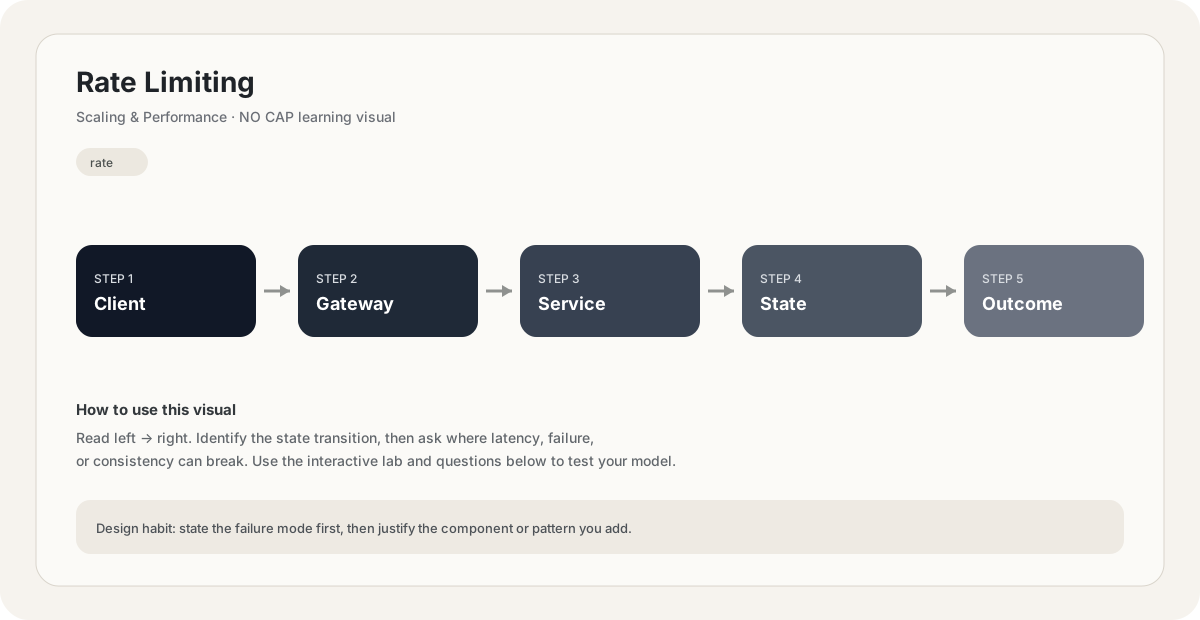
Mental model. Think of Rate Limiting as a deliberate boundary in a system. The boundary exists because something becomes harder to manage when everything is done in one place: latency, scale, failure isolation, consistency, cost, or team ownership. The useful question is not “what does Rate Limiting mean?” but “what pressure makes this boundary worth introducing, and what new failure mode does it create?”
Before choosing Rate Limiting, name the workload, the critical user path, the dominant bottleneck, the failure you are trying to absorb, and the trade-off you are willing to accept. If you cannot name those five things, the design is probably premature.
// Pseudocode
request = receive()
result = rate_limiting(request)
return result

// Production questions:
// 1. What happens on timeout?
// 2. Can this operation be retried safely?
// 3. What is the bottleneck?Back-of-the-envelope reasoning
Example: 10M requests/day ÷ 86,400 ≈ 116 requests/s average. Design for peak rather than average; a 10× peak is ≈ 1,160 requests/s.
Interactive sandbox: Rate Limiting
Rate limiting caps per-client load. Predict allowed vs rejected ratio for Rate Limiting.
Change one variable at a time. Predict the failure mode first, then move the slider and see whether your mental model matches the simplified system response.
If you are stuck on Rate Limiting, start by drawing the request path and marking every network hop, stateful component, queue, cache and failure boundary. Then estimate where the system will saturate.
You increase traffic by 10× in a system using Rate Limiting. What should you inspect first?
Pick one answer.
Which statement is the safest engineering habit when using Rate Limiting?
Pick one answer.
You have dashboards for traffic, latency, errors and saturation. You can change the architecture, but every change has operational cost.
Production scenario: your system uses Rate Limiting, traffic suddenly spikes, and p99 latency doubles. What is your first move?
Interview drill
Answer this without notes: When would you choose Rate Limiting, and when would you intentionally avoid it? Mention at least one bottleneck it addresses, one failure mode it introduces, and one alternative. Then quantify the workload you are designing for.
For Rate Limiting, treat the system as a control loop: observe load and failure, choose a bounded response, and measure whether the response stabilizes the system instead of simply moving the bottleneck somewhere else.
Numerical sanity check
When estimating capacity, distinguish average from peak. If average traffic is 4,000 RPS and the observed peak-to-average factor is 3×, design the first pass around roughly 12,000 RPS, then leave headroom for failure and growth.
Do not optimize for a memorized definition. Reason from the workload and failure mode.
What is the earliest signal that Rate Limiting is becoming the bottleneck: latency, saturation, errors, queue depth, or something else? Why?
Pick one answer.
What you gain, what you pay
- +Protects services from abuse and DDoS.
- +Ensures fair access for all clients.
- +Provides predictable behavior under load.
- +Enables business models (free tier: 100 req/min, paid: 10,000).
- −Adds latency (Redis round-trip for distributed limiting).
- −Can reject legitimate traffic if limits are too aggressive.
- −Requires client cooperation (clients must respect 429 and Retry-After).
- −Algorithm choice matters — wrong algorithm causes edge-case bursts or false rejections.
How this breaks in production
- Limit too low — legitimate users get rate-limited.
- Limit too high — abuse protection fails.
- Per-server instead of global — 5 servers = 5x the limit.
- No Retry-After header — clients retry immediately, causing more load.
Don't fall into these traps
- •Using in-memory counters in a distributed system (per-server, not global).
- •Forgetting the Retry-After header.
- •Not differentiating between authenticated and unauthenticated clients (stricter limits for anonymous).
- •Rate limiting only by IP (NAT breaks this — many users share one IP).
Real systems using this
How real systems implement this
- GitHub API — Token bucket: 5000 requests/hour for authenticated users. Returns X-RateLimit-Remaining and X-RateLimit-Reset headers.
- Cloudflare — Edge rate limiting at the CDN layer — blocks abusive traffic before it reaches the origin. Configurable per-route limits.
Practice saying it out loud
- Q1What is rate limiting? Why is it important?
- Q2Compare token bucket, leaky bucket, fixed window, and sliding window algorithms.
- Q3How do you implement rate limiting in a distributed system?
- Q4What should the 429 response include?
Further reading & references
Core explanations are original NO CAP material. External references are provided for deeper study and standards.
What next?
Mark as understood once the mental model clicks.
Next recommended
Throttling