

Reverse Proxy
A reverse proxy is a server that sits in front of one or more backend servers and forwards client requests to them. To the client it looks like the proxy is the server; to the backend it looks like the proxy is the client. Reverse proxies terminate TLS, load-balance, cache, rewrite URLs, throttle, and shield backends from direct exposure. NGINX, HAProxy, Envoy, and Caddy are the household names; most production web services have at least one.
How it works
A reverse proxy receives HTTP(S) requests from clients and forwards them to backend servers, then returns the backend's response to the client. The client never talks to the backend directly — the proxy is the public face.
This is the opposite of a forward proxy. A forward proxy sits in front of clients (think corporate web filter, or Tor): it accepts requests from internal clients and forwards them to external servers. A reverse proxy sits in front of servers: it accepts requests from external clients and forwards them to internal servers. Same mechanism, opposite direction, very different use cases.
The defining property is that the proxy impersonates the origin. The client addresses https://example.com/, the DNS points at the proxy, and the proxy decides which backend to forward to. The client has no idea how many backends exist, where they live, or what language they are written in.
What a reverse proxy does for you:
- TLS termination — the proxy holds the TLS certificate, decrypts HTTPS, and forwards plain HTTP to backends on a private network. Backends don't need certificates, don't need TLS libraries configured, and don't pay the CPU cost of cryptography. This alone justifies the proxy for most teams.
- Load balancing — distribute traffic across multiple backend instances. NGINX, HAProxy, and Envoy all do this natively. (A reverse proxy with LB is essentially the same software; the line is conceptual, not technical.)
- Routing —
/api/*to the API servers,/static/*to a file server or CDN,/admin/*to a restricted backend. Path-based and host-based routing in one place. - Caching — cache responses in the proxy. A second request for the same URL is served from the proxy without touching the backend. NGINX's
proxy_cache, Varnish (purpose-built reverse proxy cache). - Static file serving — serve static files (images, JS, CSS) directly from the proxy, faster than the application server can.
- Rate limiting & throttling — block abusive clients before they reach backends.
- Request/response rewriting — add headers, rewrite paths, compress responses, modify redirects.
- Observability — every request flows through the proxy, so it's a natural place for access logs, metrics, and distributed tracing.
- Backend shielding — backends live on a private network and never accept direct internet traffic. The proxy is the only public-facing component.
- Connection pooling — the proxy maintains keep-alive connections to backends, so each client request doesn't pay the TCP handshake cost to the backend.
- Zero-downtime deploys — drain a backend (stop sending new requests) for a rolling deploy, all configured in the proxy.
Popular reverse proxies:
- NGINX — the workhorse. Fast, stable, ubiquitous. Handles ~30% of the web. Configuration is declarative (nginx.conf); learning curve is real but the docs are excellent.
- HAProxy — older, deeply respected, especially for L4 TCP load balancing. Excellent observability stats page. Often paired with NGINX (HAProxy for raw TCP, NGINX for HTTP).
- Envoy — modern, designed for service meshes and dynamic configuration (xDS APIs). Programmable via API rather than config file reloads. The data plane for Istio and many API gateways.
- Caddy — newer, famous for automatic HTTPS (fetches and renews Let's Encrypt certificates by default). Easy configuration in Caddyfile. Popular for small-to-medium sites.
- Varnish — purpose-built reverse caching proxy. Aggressive caching with VCL (Varnish Configuration Language). Common in front of NGINX for high-traffic content sites.
- Traefik — designed for containers and dynamic environments. Auto-discovers services from Docker/Kubernetes labels. Popular in modern cloud-native setups.
Which one? For most teams: NGINX or Caddy. For service meshes: Envoy. For pure TCP L4: HAProxy. For aggressive edge caching: Varnish in front of NGINX. There is no wrong answer as long as you understand what each is good at.
In practice, the line is blurry. NGINX is called both a reverse proxy and a load balancer depending on which feature you're using. The useful distinction: a load balancer's job is to distribute traffic across backends (it may or may not parse HTTP); a reverse proxy's job is to mediate the request (terminate TLS, cache, rewrite, route) and it usually parses HTTP. In modern production stacks, the same software often does both: NGINX as reverse proxy with the upstream load-balancing module enabled, Envoy as data plane with L4 + L7 capabilities. Don't get caught up in the labels — focus on the responsibilities.
The reverse proxy as a single point of failure:
Because every request flows through the proxy, a proxy outage takes down the whole site. This is the single most important operational concern. Mitigations:
- Run multiple proxy instances behind a load balancer (yes, you can load balance your load balancer / proxy — typically with a layer-4 LB or anycast IP).
- Distribute proxies across availability zones so an AZ outage doesn't kill all of them.
- Keep proxy instances stateless — no in-process sessions, no local-only state — so any instance can serve any request and failed instances can be replaced.
- Use health checks so dead proxies are removed from the LB rotation.
- Use graceful shutdown — when a proxy is being replaced, drain active connections before killing it.
Cloud providers often front NGINX/Envoy with a managed L4 load balancer (AWS NLB, GCP TCP LB) that handles the high-availability piece. The pattern: clients → managed L4 LB (HA across AZs) → NGINX fleet (stateless, scalable) → backends.
Which of the following best describes the difference between a forward proxy and a reverse proxy?
Pick one answer.
Why is it common to terminate TLS at the reverse proxy rather than at the backend application server?
Pick one answer.
Your reverse proxy is the only public-facing component of your service. It crashes. What happens, and how should this be designed against?
Pick one answer.
| Dimension | Forward Proxy | Reverse Proxy |
|---|---|---|
| Position in topology | In front of clients (egress) | In front of servers (ingress) |
| Represents | The client to the server | The server to the client |
| Server's view | Sees the proxy IP, not the client's | Sees the proxy IP as the source |
| Client's view | Knows it's using a proxy | Doesn't know a proxy exists |
| Typical use | Corporate egress filter, anonymizing (Tor), geo-bypass (VPN) | TLS termination, load balancing, caching, WAF |
| Caching | Caches responses for the client (saves bandwidth) | Caches responses for many clients (saves backend load) |
| Auth | Often authenticates users (corporate LDAP/SSO) | Often terminates TLS, rate-limits, applies WAF |
| Examples | Squid, Dante, corporate HTTPS proxy, Tor exit node | NGINX, Envoy, HAProxy, Caddy, Cloudflare edge |
| Failure mode | Client can't reach the internet if proxy is down | Site is down for everyone if proxy is down |
# /etc/nginx/conf.d/api.example.com.conf
# Reverse proxy: terminates TLS, caches GETs, load-balances upstream.

upstream api_backend {
    least_conn;                          # least-connections algorithm
    server 10.0.1.10:8080 max_fails=3 fail_timeout=30s;
    server 10.0.1.11:8080 max_fails=3 fail_timeout=30s;
    server 10.0.1.12:8080 max_fails=3 fail_timeout=30s;
    keepalive 32;                         # pool of keepalive conns to upstream
}

proxy_cache_path /var/cache/nginx/api levels=1:2 keys_zone=api_cache:10m
                 max_size=1g inactive=10m use_temp_path=off;

server {
    listen 443 ssl http2;
    server_name api.example.com;

    ssl_certificate     /etc/letsencrypt/live/api.example.com/fullchain.pem;
    ssl_certificate_key /etc/letsencrypt/live/api.example.com/privkey.pem;
    ssl_protocols       TLSv1.2 TLSv1.3;

    # /api/public/* — cache aggressively
    location /api/public/ {
        proxy_cache api_cache;
        proxy_cache_valid 200 10m;
        proxy_cache_key $scheme$host$request_uri;
        add_header X-Cache-Status $upstream_cache_status;   # HIT / MISS / BYPASS
        proxy_pass http://api_backend;
    }

    # /api/auth/* — never cache, always forward
    location /api/auth/ {
        proxy_cache off;
        proxy_set_header Authorization $http_authorization;   # pass through
        proxy_pass http://api_backend;
    }

    # Common headers sent to upstream
    proxy_set_header Host              $host;
    proxy_set_header X-Real-IP         $remote_addr;
    proxy_set_header X-Forwarded-For   $proxy_add_x_forwarded_for;
    proxy_set_header X-Forwarded-Proto $scheme;

    # Health endpoint — used by external LB health-check
    location = /health { return 200 'ok'; add_header Content-Type text/plain; }
}

# Validation: nginx -t        (validate config without applying)
# Reload: nginx -s reload (zero-downtime config swap)Real example: Cloudflare as a global reverse proxy.
When you point your domain at Cloudflare, you don't change your origin server — you change the DNS so that your domain resolves to Cloudflare's anycast IP ranges. Every HTTP request to your domain terminates at a Cloudflare POP (point of presence) in 300+ cities worldwide. The POP is the reverse proxy.
What the POP does on each request:
- DNS + anycast routing — the user's nearest POP answers in 1 RTT.
- TLS termination — Cloudflare holds your cert (or its own universal cert for SSL-for-free).
- WAF + DDoS rules — every request passes through rule engines that block SQLi, XSS, known-bad IPs, and volumetric attacks.
- Rate limiting — per-IP and per-path limits applied at the edge.
- Cache lookup — static assets served from POP RAM/disk; the origin never sees them.
- Image resizing / Workers — request can be transformed by edge compute (resize image, A/B test, rewrite URL) without touching origin.
- Origin forward — on MISS or non-cacheable, the POP opens a connection to your origin (possibly via Cloudflare's Argo smart routing for latency optimization).
- Response caching — the POP caches the response for the next user.
From the origin's perspective, every incoming request appears to come from a Cloudflare IP range. Cloudflare injects CF-Connecting-IP and X-Forwarded-For headers so the origin can identify the real client. This is exactly the reverse-proxy pattern — the client thinks it's talking to your server, your server thinks it's talking to Cloudflare, and Cloudflare does TLS, caching, security, and edge compute in between. The same pattern applies to Fastly, AWS CloudFront, and Akamai.
If your response depends on a header (e.g., Accept-Language: fr returns French, en returns English), the cache key MUST include that header. The HTTP mechanism is the Vary response header: Vary: Accept-Language, Accept-Encoding. Without it, the proxy caches the French response for the German user — a real bug seen on countless sites. Worse: caching an authenticated /me response and serving it to a different user is a security incident. Rule: any response that varies by request header must declare it via Vary; any response that varies by auth must NOT be cached (or must be keyed by user id). Test this with two different users — if they ever see each other's data, you have a cache-key bug.
Users of your SaaS app report seeing other users' account data intermittently — user A logs in, sometimes sees user B's dashboard. Your architecture is: NGINX (reverse proxy with caching) → stateless Node.js app → PostgreSQL. Sessions are stored in cookies. What is the most likely root cause?
Pick one answer.
When NOT to terminate TLS at the proxy — defense in depth.
The default pattern (terminate TLS at the reverse proxy, speak plain HTTP to backends on a private network) is right for ~95% of services. But for the remaining 5% — healthcare (HIPAA), payments (PCI-DSS), government, defense — plain HTTP on the private network is unacceptable. The standard is TLS everywhere: terminate TLS at the proxy AND re-encrypt from proxy to backend.
Why? Defense in depth. The 'private network' between proxy and backend is not as private as you think: it shares physical infrastructure with other tenants in the cloud, it's accessible to anyone with a compromised admin account, and it's traversed by debug packet captures during incidents. If the proxy-to-backend traffic is plain HTTP, anyone with that access can read PII, card numbers, or credentials.
The cost of TLS-everywhere: more CPU on the proxy (it terminates AND re-encrypts), certificate management on backends (or mTLS with a CA), and operational complexity (cert rotation). For most teams this cost is not justified; for regulated industries it's required. Modern service meshes (Istio, Linkerd) make this transparent: mTLS between every service is automatic, with certs rotated by the control plane.
The pattern matters because it's the textbook example of a security vs complexity trade-off that depends on context. The same architecture choice (terminate at proxy) is correct for a blog and wrong for a banking API. System design is full of these context-dependent choices; the skill is recognizing which context you're in.
Engineering mental model
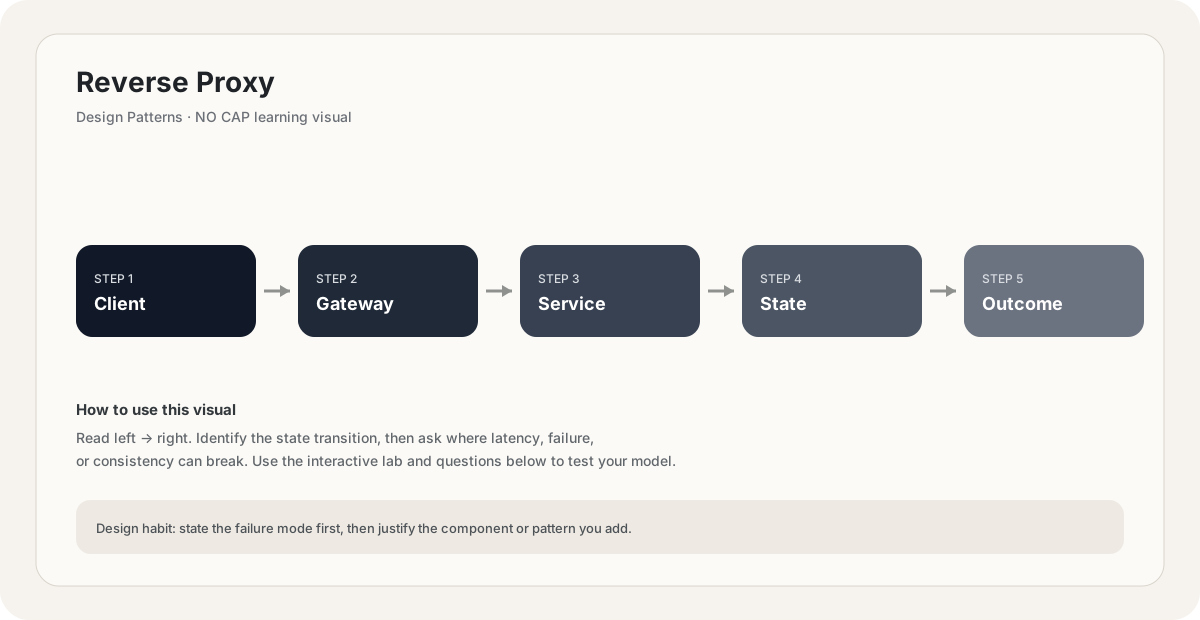
Mental model. Think of Reverse Proxy as a deliberate boundary in a system. The boundary exists because something becomes harder to manage when everything is done in one place: latency, scale, failure isolation, consistency, cost, or team ownership. The useful question is not “what does Reverse Proxy mean?” but “what pressure makes this boundary worth introducing, and what new failure mode does it create?”
Before choosing Reverse Proxy, name the workload, the critical user path, the dominant bottleneck, the failure you are trying to absorb, and the trade-off you are willing to accept. If you cannot name those five things, the design is probably premature.
// Pseudocode
request = receive()
result = reverse_proxy(request)
return result

// Production questions:
// 1. What happens on timeout?
// 2. Can this operation be retried safely?
// 3. What is the bottleneck?Back-of-the-envelope reasoning
Numerical lens: write down traffic, payload size, read/write ratio, peak multiplier and durability target before choosing a component. The numbers should justify the architecture.
If you are stuck on Reverse Proxy, start by drawing the request path and marking every network hop, stateful component, queue, cache and failure boundary. Then estimate where the system will saturate.
You increase traffic by 10× in a system using Reverse Proxy. What should you inspect first?
Pick one answer.
Which statement is the safest engineering habit when using Reverse Proxy?
Pick one answer.
You have dashboards for traffic, latency, errors and saturation. You can change the architecture, but every change has operational cost.
Production scenario: your system uses Reverse Proxy, traffic suddenly spikes, and p99 latency doubles. What is your first move?
Interview drill
Answer this without notes: When would you choose Reverse Proxy, and when would you intentionally avoid it? Mention at least one bottleneck it addresses, one failure mode it introduces, and one alternative. Then quantify the workload you are designing for.
A useful engineering lens for Reverse Proxy: define the problem it solves, the simpler design that fails first, the constraint that forces you to introduce this concept, and the new failure modes the concept creates.
Numerical sanity check
Back-of-the-envelope reasoning beats fake precision. State your traffic, payload, concurrency and growth assumptions explicitly, then calculate enough to know whether the current architecture is orders of magnitude away from the target.
Do not optimize for a memorized definition. Reason from the workload and failure mode.
Imagine the simplest version of a system using Reverse Proxy. What breaks first as traffic grows by 10×, and what would you change before reaching 100×?
Pick one answer.
Interactive sandbox: Reverse Proxy
Reverse proxy adds TLS + routing. Predict per-request overhead for Reverse Proxy.
Change one variable at a time. Predict the failure mode first, then move the slider and see whether your mental model matches the simplified system response.
What you gain, what you pay
- +Centralizes TLS, routing, caching, observability, and rate limiting in one place.
- +Shields backends from direct internet exposure and hostile traffic.
- +Backends can speak plain HTTP on a private network — no certificate management per instance.
- +Connection pooling to backends reduces per-request TCP overhead.
- +Enables zero-downtime deploys via backend draining.
- +Language-agnostic — same proxy in front of Node, Python, Go, Java backends.
- −Adds a network hop and a small amount of latency (~1ms typical).
- −The proxy is a single point of failure unless explicitly engineered for redundancy.
- −Configuration complexity — getting TLS, routing, and caching right is non-trivial.
- −Another component to monitor, deploy, and operate.
- −Buffering full request/response bodies for transformation can cause memory pressure.
How this breaks in production
- Single proxy instance crashes — site goes down (mitigate with multi-instance + LB).
- Misconfigured TLS — certificate expired, SNI wrong, weak ciphers enabled.
- Routing misconfiguration — `/api/*` accidentally routes to the wrong backend after a config change.
- Buffering a large request body exhausts proxy memory and causes 502/504 errors.
- Cache misconfiguration caching personalized responses — users see each other's data.
Don't fall into these traps
- •Running a single reverse proxy instance with no redundancy — single point of failure.
- •Exposing backends directly to the internet 'temporarily' and forgetting to remove it.
- •Terminating TLS at the backend instead of the proxy — duplicating certificate management across every instance.
- •Caching responses without careful attention to the `Vary` header or auth — leaking user data.
- •Forgetting to validate the proxy's configuration before reload — taking the site down with a typo.
- •Mixing too many proxies ('proxy in front of proxy in front of proxy') — over-engineering that adds latency and debugging pain.
Real systems using this
How real systems implement this
- NGINX — The most widely deployed reverse proxy. Handles TLS termination, path-based routing, caching, static file serving, and load balancing. Often deployed as a fleet of stateless instances behind a managed L4 LB, with configuration managed via tools like Helm, Ansible, or Kubernetes ConfigMaps.
- Cloudflare edge — Cloudflare's global POPs are reverse proxies at internet scale. Each POP terminates TLS, caches static assets, applies WAF rules, and forwards misses to the customer's origin. The customer's origin sees only Cloudflare's IP ranges — the actual internet-facing IPs are Cloudflare's.
- Envoy (Istio data plane) — Envoy runs as a sidecar reverse proxy next to every service in an Istio service mesh. It intercepts all inbound and outbound traffic, terminates mTLS, applies retry and circuit-breaker policies, and emits observability data — without the application knowing it's there.
Practice saying it out loud
- Q1What is the difference between a forward proxy and a reverse proxy? Give a use case for each.
- Q2Why terminate TLS at the reverse proxy rather than at the backend?
- Q3Your reverse proxy is the only public entry point. How do you keep it highly available?
- Q4How does a reverse proxy differ from a load balancer? When do you need both?
- Q5What cross-cutting concerns would you centralize in a reverse proxy, and what would you leave to the backend?
Further reading & references
Core explanations are original NO CAP material. External references are provided for deeper study and standards.
What next?
Mark as understood once the mental model clicks.
Next recommended
Gateway Routing