

Authentication
Authentication (AuthN) verifies who you are — distinguishing a user from an attacker. Methods range from passwords (knowledge-based) to OAuth tokens and biometrics. The hard parts aren't the verification itself but the lifecycle around it: password storage, session management, multi-factor authentication, and token revocation. Get authentication wrong and attackers can impersonate any user; get it right and even a database leak is survivable.
How it works
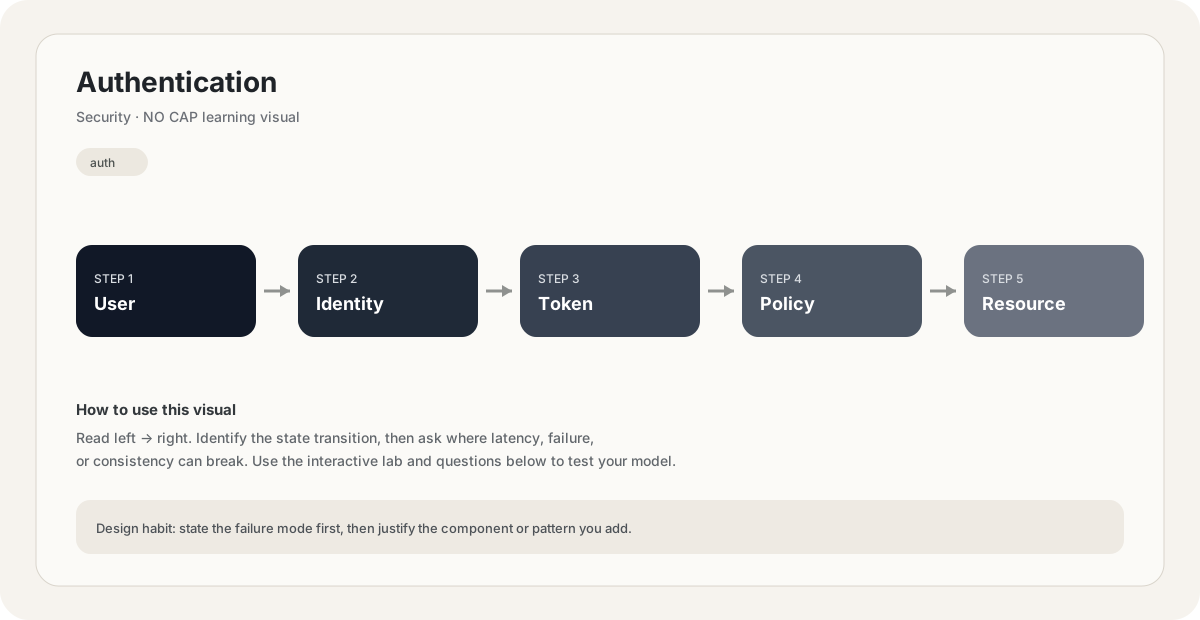
Authentication answers "who are you?" It's distinct from authorization ("what can you do?") — though the two are often confused. Authentication establishes identity; authorization uses that identity to permit or deny actions.
The three classic factors of authentication:
- Something you know (password, PIN)
- Something you have (phone, hardware token, smart card)
- Something you are (fingerprint, face, iris)
Two-factor authentication (2FA) combines two of these; multi-factor (MFA) combines more. The principle: an attacker who steals your password doesn't have your phone, so they can't authenticate even with the password. Single-factor (password-only) is acceptable for low-value accounts; everything sensitive should require MFA.
Password storage is the most violated security rule in the industry. The rule is simple: never store plaintext passwords, and never use a fast hash (MD5, SHA-1, SHA-256) for passwords.
Why not fast hashes? Because attackers who steal your database can brute-force them at billions of attempts per second on a GPU. A 8-character password becomes crackable in minutes.
Use a slow, salted hash:
- bcrypt: the standard for years, configurable cost factor.
- scrypt: memory-hard, harder to brute-force on ASICs.
- argon2: the current best choice (won the Password Hashing Competition).
These are deliberately slow (50-500ms per hash), making brute-force infeasible. The salt (random per-user) prevents precomputation (rainbow tables) — even if two users have the same password, their hashes differ.
Even with good hashing, defend the database. Hashing slows attackers but doesn't stop them — they can still brute-force weak passwords. Encourage or require strong passwords. Use breach-correlation services (haveibeenpwned) to reject known-breached passwords.
After authentication, the server needs to remember who the user is for subsequent requests. Two approaches:
Session-based (stateful): the server stores session state in a session store (Redis, database). It sends the client a session ID (in a cookie). On each request, the server looks up the session by ID. Easy to revoke (delete the session), but requires server-side state and session lookup per request.
Token-based (stateless): the server issues a signed token (typically JWT). The client stores it and sends it on each request. The server validates the signature (no lookup needed) and trusts the token's claims. No server state, scales trivially — but the token can't be revoked before its expiry. To revoke, you need a blacklist or short expiry + refresh tokens.
JWT trade-offs:
- Pro: stateless, scalable, works across domains (good for SSO).
- Con: revocation is hard; if stolen, attacker has full access until expiry.
- Mitigation: short access-token expiry (5-15 min), long refresh-token expiry, refresh server-side revocable.
- Don't put sensitive data in a JWT — it's signed, not encrypted. Anyone can read the payload.
If you do one thing to improve authentication, require MFA on every account that can do anything meaningful. Stolen passwords are the most common breach vector — phishing, credential stuffing, database leaks. MFA stops the vast majority of these attacks because the attacker has the password but not the second factor. TOTP (Google Authenticator) is the most common second factor; SMS is weak (vulnerable to SIM swapping) but better than nothing; hardware keys (Yubikey, FIDO2) are the strongest. For admins and high-value accounts, hardware keys should be mandatory.
Defending the login endpoint is critical. Without defenses, it's a brute-force playground:
- Rate limiting: cap login attempts per IP and per account (e.g., 5 attempts per 5 min). Lock the account (or require email reset) after too many failures.
- Account lockout: but be careful — this enables DoS (attacker locks out users by failing their logins). Time-limited lockout (5 min) is usually the right balance.
- CAPTCHA: slows automated attacks. Annoying for users; use only when needed.
- Monitoring: alert on login anomalies (sudden spike from a new IP, login from a country the user has never used).
- Breach password checking: use HaveIBeenPwned's API to reject passwords that have appeared in known breaches.
The bigger threat is credential stuffing — attackers test username/password pairs leaked from other sites. Users reuse passwords, so this works depressingly well. Defenses: rate limiting, breach-password rejection, MFA. The root cause fix is passwordless auth (WebAuthn / passkeys), which eliminates passwords entirely.
Your database is leaked. Passwords were stored as SHA-256 hashes. What's the consequence?
Pick one answer.
Why is it hard to revoke a JWT before its expiry?
Pick one answer.
What's the difference between authentication and authorization?
Pick one answer.
Engineering mental model
Mental model. Think of Authentication as a deliberate boundary in a system. The boundary exists because something becomes harder to manage when everything is done in one place: latency, scale, failure isolation, consistency, cost, or team ownership. The useful question is not “what does Authentication mean?” but “what pressure makes this boundary worth introducing, and what new failure mode does it create?”
Before choosing Authentication, name the workload, the critical user path, the dominant bottleneck, the failure you are trying to absorb, and the trade-off you are willing to accept. If you cannot name those five things, the design is probably premature.
Authorization: Bearer <access-token>

GET /v1/authentication
Host: api.example.comBack-of-the-envelope reasoning
Numerical lens: write down traffic, payload size, read/write ratio, peak multiplier and durability target before choosing a component. The numbers should justify the architecture.
Interactive sandbox: Authentication
Auth cost scales with hashing. Predict CPU ceiling for Authentication.
Change one variable at a time. Predict the failure mode first, then move the slider and see whether your mental model matches the simplified system response.
If you are stuck on Authentication, start by drawing the request path and marking every network hop, stateful component, queue, cache and failure boundary. Then estimate where the system will saturate.
You increase traffic by 10× in a system using Authentication. What should you inspect first?
Pick one answer.
Which statement is the safest engineering habit when using Authentication?
Pick one answer.
You have dashboards for traffic, latency, errors and saturation. You can change the architecture, but every change has operational cost.
Production scenario: your system uses Authentication, traffic suddenly spikes, and p99 latency doubles. What is your first move?
Interview drill
Answer this without notes: When would you choose Authentication, and when would you intentionally avoid it? Mention at least one bottleneck it addresses, one failure mode it introduces, and one alternative. Then quantify the workload you are designing for.
For Authentication, define the trust boundary first. Identify who is allowed to perform each action, where credentials live, how they expire, and what a compromised credential can reach.
Numerical sanity check
A practical blast-radius question: if one credential is compromised, how many users, services, records or regions could it affect? Prefer designs where that number is deliberately bounded.
Do not optimize for a memorized definition. Reason from the workload and failure mode.
What is the smallest trust boundary you would enforce for Authentication, and what would you log so a suspicious action can be investigated later?
Pick one answer.
What you gain, what you pay
- +Establishes user identity — the foundation of all access control.
- +MFA dramatically reduces credential-stuffing and phishing risk.
- +Modern standards (OAuth, WebAuthn) eliminate password reuse problems.
- +Token-based auth scales statelessly across services.
- −Passwords are inherently weak (reused, phished, leaked).
- −MFA adds friction — every login needs a second step.
- −JWTs are hard to revoke before expiry.
- −AuthN systems are high-value targets — breach = full impersonation.
How this breaks in production
- Plaintext or fast-hash password storage — brute-forceable after a leak.
- Missing rate limiting on login — enables brute-force and credential stuffing.
- JWT stored in localStorage — vulnerable to XSS theft.
- Session IDs in URLs — leaked via referrer and logs.
Don't fall into these traps
- •Using MD5/SHA for password hashing instead of bcrypt/argon2.
- •Not requiring MFA for admin or sensitive accounts.
- •Storing JWTs in localStorage (XSS-vulnerable) instead of HttpOnly cookies.
- •Not rate-limiting login attempts.
Real systems using this
How real systems implement this
- Auth0 — Managed authentication service supporting passwords, MFA, OAuth, SAML, social login. Removes the need for teams to roll their own auth — a high-value security decision.
- WebAuthn / Passkeys — W3C standard for passwordless authentication using public-key cryptography. The user's device holds a private key; the server stores the public key. Eliminates passwords entirely — the root-cause fix for credential stuffing.
Practice saying it out loud
- Q1What's the difference between authentication and authorization?
- Q2How should passwords be stored? Why not use SHA-256?
- Q3Compare session-based and token-based (JWT) authentication.
- Q4Why is MFA the single biggest security improvement, and what are its trade-offs?
Further reading & references
Core explanations are original NO CAP material. External references are provided for deeper study and standards.
What next?
Mark as understood once the mental model clicks.
Next recommended
Authorization