

OAuth 2.0
OAuth 2.0 is the standard for delegated authorization: letting a third-party app access a user's data on another service without sharing the user's password. The user authenticates with the provider (Google, GitHub), the provider issues a token to the app, the app uses the token to access the API. Key flows: authorization code (web apps), client credentials (service-to-service), PKCE (mobile/SPA). Tokens, not passwords, are the access mechanism.
How it works
OAuth 2.0 is a delegation protocol. The cast:
- Resource Owner (User): the person who owns the data.
- Client (App): the third-party app that wants to access the data.
- Authorization Server: issues tokens after the user consents.
- Resource Server: hosts the data; accepts tokens.
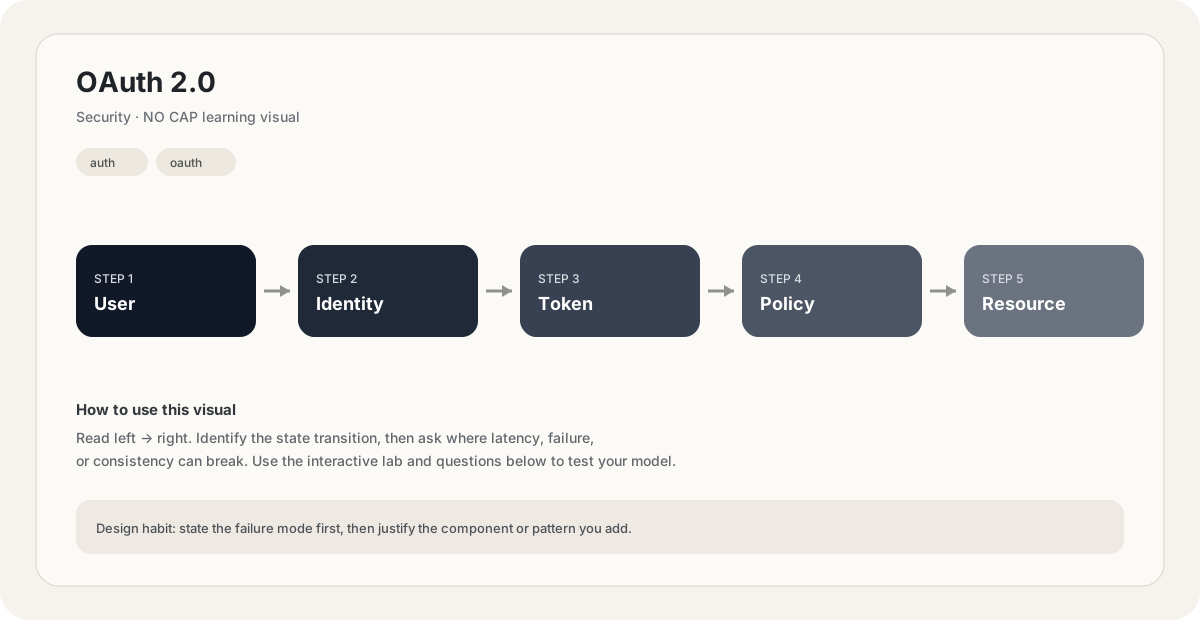
The flow: the client asks the user for permission. The user authenticates with the authorization server (Google, GitHub) and consents to the scopes requested. The authorization server gives the client an access token. The client uses the token to call the resource server's API. The user's password is never shared with the client.
OAuth is authorization, not authentication — it grants access, it doesn't prove identity. (OpenID Connect, built on OAuth, adds authentication.)
Different clients need different flows:
- Authorization Code (with PKCE): the standard for web apps, SPAs, and mobile apps. The user logs in via the provider, the app gets a code, exchanges it for a token. PKCE (Proof Key for Code Exchange) replaces the client secret with a dynamic challenge — essential for clients that can't keep a secret (SPAs, mobile).
- Client Credentials: for service-to-service access with no user. The service authenticates with its own credentials and gets a token. Used by backend integrations, scheduled jobs.
- Device Code: for devices without a browser (smart TVs, IoT). The device shows a code; the user goes to a URL on their phone and enters it.
- Resource Owner Password Credentials: deprecated. The client takes the user's password directly. Only used for legacy migrations; removes OAuth's main security benefit.
Implicit flow (formerly used for SPAs) is deprecated — use Authorization Code + PKCE instead. It returned the token directly in the URL fragment, which exposed it to attackers via referrer and other channels.
OAuth tokens:
- Access token: short-lived (5 min – 1 hour), used to call the API. Sent in the
Authorization: Bearer ...header. - Refresh token: long-lived (days – weeks), used to get new access tokens without re-prompting the user. Stored server-side; never sent to the browser in SPAs.
- Scopes: permissions attached to the token.
read:user,write:repo, etc. The resource server checks scopes on every request.
Access tokens can be opaque (a random string the server looks up) or JWTs (self-contained, signed). Opaque tokens allow easy revocation; JWTs are stateless. The trend is JWT access tokens + opaque refresh tokens.
The principle of least privilege applies: clients should request only the scopes they need. The user sees the scopes during consent and can decline. An app requesting repo (full read/write to all repos) when it only needs read:user is suspicious — and users should decline.
OAuth grants access; it doesn't prove who the user is. If you use OAuth for login ("Sign in with Google"), you're using OAuth to obtain an access token, then calling the provider's userinfo endpoint to get the user's identity. That second step is OpenID Connect (OIDC) — a thin layer on OAuth that adds an ID token (a JWT asserting the user's identity). Conflating OAuth with authentication is a common mistake that causes vulnerabilities (e.g., token substitution attacks). If you need authentication, use OIDC, not raw OAuth.
OAuth security pitfalls:
- Redirect URI validation: the redirect_uri must be an exact match against registered URIs. Wildcard matching lets an attacker redirect the code to their own server.
- State parameter: prevents CSRF. Without it, an attacker can inject their own authorization code into the user's session, linking the attacker's account to the user's session.
- Token storage: don't store access tokens in localStorage (XSS-vulnerable). For SPAs, use HttpOnly cookies set by the backend, or in-memory storage with refresh-on-reload.
- PKCE for public clients: SPAs and mobile apps can't keep a client secret. PKCE replaces it with a dynamic challenge, preventing code interception.
- Scope validation: the resource server must validate scopes on every request. Skipping it lets a token with
readscope callwriteendpoints.
The lesson: don't roll your own OAuth integration. Use a well-tested library (NextAuth, Passport, Auth0). The protocol has many footguns; the libraries handle them.
Why does the authorization code flow exchange the code for a token server-side, rather than returning the token directly to the browser?
Pick one answer.
What's the role of the `state` parameter in OAuth?
Pick one answer.
You need a backend service to access Google Calendar on behalf of the company (not any individual user). Which OAuth flow do you use?
Pick one answer.
Engineering mental model
Mental model. Think of OAuth 2.0 as a deliberate boundary in a system. The boundary exists because something becomes harder to manage when everything is done in one place: latency, scale, failure isolation, consistency, cost, or team ownership. The useful question is not “what does OAuth 2.0 mean?” but “what pressure makes this boundary worth introducing, and what new failure mode does it create?”
Before choosing OAuth 2.0, name the workload, the critical user path, the dominant bottleneck, the failure you are trying to absorb, and the trade-off you are willing to accept. If you cannot name those five things, the design is probably premature.
Authorization: Bearer <access-token>

GET /v1/oauth
Host: api.example.comBack-of-the-envelope reasoning
Numerical lens: write down traffic, payload size, read/write ratio, peak multiplier and durability target before choosing a component. The numbers should justify the architecture.
Interactive sandbox: OAuth 2.0
OAuth flows add round-trips. Predict token-endpoint load for OAuth 2.0.
Change one variable at a time. Predict the failure mode first, then move the slider and see whether your mental model matches the simplified system response.
If you are stuck on OAuth 2.0, start by drawing the request path and marking every network hop, stateful component, queue, cache and failure boundary. Then estimate where the system will saturate.
You increase traffic by 10× in a system using OAuth 2.0. What should you inspect first?
Pick one answer.
Which statement is the safest engineering habit when using OAuth 2.0?
Pick one answer.
You have dashboards for traffic, latency, errors and saturation. You can change the architecture, but every change has operational cost.
Production scenario: your system uses OAuth 2.0, traffic suddenly spikes, and p99 latency doubles. What is your first move?
Interview drill
Answer this without notes: When would you choose OAuth 2.0, and when would you intentionally avoid it? Mention at least one bottleneck it addresses, one failure mode it introduces, and one alternative. Then quantify the workload you are designing for.
For OAuth 2.0, define the trust boundary first. Identify who is allowed to perform each action, where credentials live, how they expire, and what a compromised credential can reach.
Numerical sanity check
A practical blast-radius question: if one credential is compromised, how many users, services, records or regions could it affect? Prefer designs where that number is deliberately bounded.
Do not optimize for a memorized definition. Reason from the workload and failure mode.
What is the smallest trust boundary you would enforce for OAuth 2.0, and what would you log so a suspicious action can be investigated later?
Pick one answer.
What you gain, what you pay
- +Third-party apps never see the user's password.
- +Scoped tokens grant only the permissions the user approved.
- +Per-app revocation: users can revoke access without changing their password.
- +Standard protocol — supported by every major provider.
- −Complex protocol with many footguns (redirect URI, state, PKCE).
- −Tokens are bearer tokens — stolen = full access until expiry.
- −Many flows — choosing the wrong one creates vulnerabilities.
- −Not authentication; using it as such causes security bugs.
How this breaks in production
- Wildcard redirect URI validation lets attackers intercept codes.
- Missing state parameter enables CSRF / account confusion.
- Storing tokens in localStorage enables XSS theft.
- Skipping PKCE on public clients (SPA, mobile) enables code interception.
Don't fall into these traps
- •Treating OAuth as authentication (use OIDC for that).
- •Not validating redirect_uri exactly.
- •Forgetting the state parameter (CSRF).
- •Using implicit flow instead of authorization code + PKCE.
Real systems using this
How real systems implement this
- Google Sign-In — OAuth 2.0 + OIDC for authentication. User consents to scopes; client gets access token + ID token. The ID token (JWT) asserts the user's identity — that's the OpenID Connect layer.
- GitHub Apps — OAuth-based. An app requests specific permissions (read repos, write issues). The user installs the app to specific repos. The app gets a token scoped to those repos and permissions, revocable per-installation.
Practice saying it out loud
- Q1Walk through the OAuth authorization code flow. Why is it two-step?
- Q2What is PKCE, and why is it required for SPAs and mobile apps?
- Q3Why is OAuth not authentication? What's the difference from OIDC?
- Q4What's the role of the state parameter?
Further reading & references
Core explanations are original NO CAP material. External references are provided for deeper study and standards.
What next?
Mark as understood once the mental model clicks.
Next recommended
Authentication