

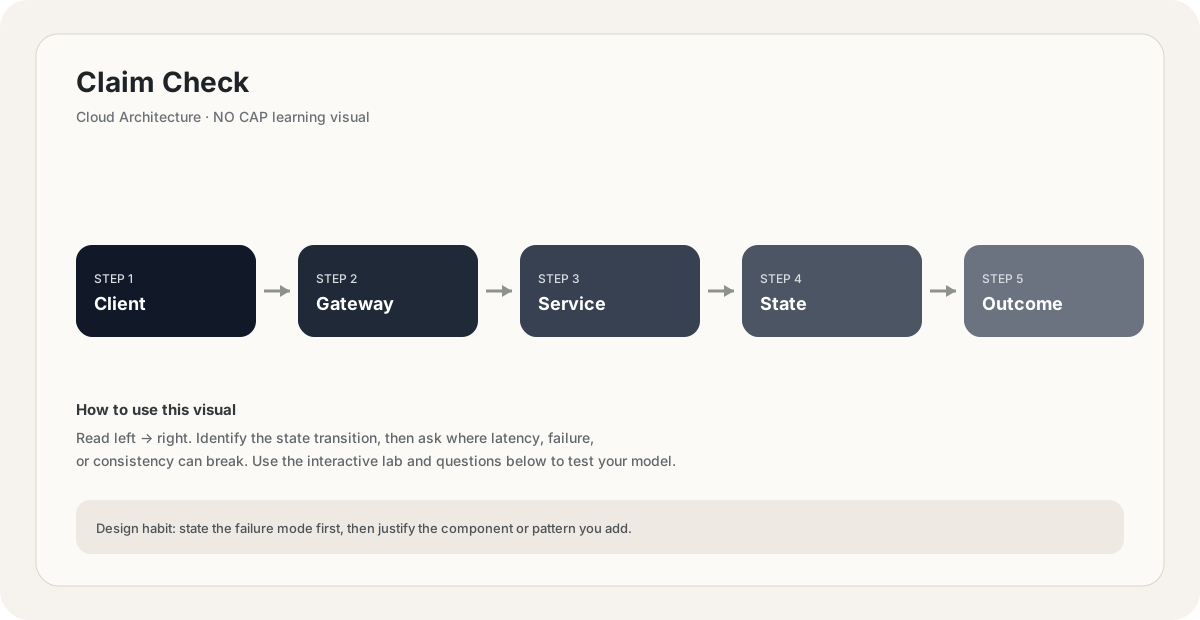
Claim Check
The Claim Check pattern stores a large message payload in external storage (object store, database) and passes only a small reference (the claim check) through the message queue. The consumer uses the reference to retrieve the full payload when needed. This keeps messages small (queues are optimized for small, fast messages), avoids message size limits, and reduces broker storage costs. The pattern is named after the claim check you get at a coat check — a small token representing a large object stored elsewhere.
Foundational.
How it works
Message queues are optimized for small, fast messages. They're meant to handle thousands of small messages per second, with low latency and predictable throughput. They are not designed to handle large payloads:
- Size limits: SQS hard limit 256KB, Kafka default 1MB (configurable to higher, but discouraged), Azure Service Bus 256KB (Standard) / 100MB (Premium).
- Broker memory pressure: large messages consume broker memory and slow down all messages in the queue.
- Storage cost: most brokers charge for storage; large messages cost more.
- Throughput impact: a 100 MB message blocks the queue for the duration it takes to write/read.
The Claim Check pattern solves this:
- The producer has a large payload (e.g., a 100 MB video to be transcoded).
- The producer uploads the payload to object storage (S3, Azure Blob, GCS), getting back a URL.
- The producer publishes a small message to the queue, containing the URL (the claim check) and metadata (size, type, content hash).
- The consumer receives the small message quickly, then fetches the large payload from object storage using the URL.
- After processing, the consumer may delete the payload from storage (or a TTL handles it).
The analogy is the coat check at a theater: you give the attendant your coat (large), they give you a small numbered token (the claim check). You don't carry the coat around — you carry the token, and retrieve the coat when you need it. The queue is the token distribution system; the coat check room is the object store.
Crucially, the claim check itself is small (a few hundred bytes: URL + metadata), so the queue stays fast even when the payloads are huge.
Design decisions for the Claim Check pattern:
Where to store the payload?
- Object storage (S3, Azure Blob, GCS) — most common; cheap, durable, scalable, supports TTLs and lifecycle rules.
- A database BLOB column — for smaller large payloads (1-50 MB) where you want transactional consistency with the message.
- A dedicated blob store (Redis, MinIO) — for very short-lived payloads (seconds to minutes).
How long to keep the payload?
- Until the consumer confirms processing — consumer deletes the payload after successful processing. Requires the consumer to have delete permissions.
- TTL-based — set a TTL on the payload; if the consumer never processes it, the payload auto-expires. Decouples payload lifecycle from consumer success.
- Indefinitely — for payloads that may need to be re-processed (replays, bug fixes). Storage costs add up.
What metadata to include in the claim check?
- URL/key — required, the pointer to the payload.
- Size — so the consumer knows what it's fetching.
- Content type — so the consumer knows how to parse.
- Hash (SHA-256) — for integrity verification; the consumer can detect corruption.
- Source/timestamp — for debugging and tracing.
- Compression info — if the payload was compressed before upload.
Access control?
- Public read — if the payload is non-sensitive; consumer fetches via plain URL.
- Presigned URL — producer mints a presigned URL (Valet Key) for the consumer; tight scope, short expiry.
- IAM role-based — consumer has its own credentials to read from the bucket.
Cleanup?
- A common bug: payloads accumulate in storage forever because nobody deletes them. Always have a cleanup strategy — TTL, post-processing delete, or a periodic GC job.
Combine compression with the Claim Check pattern for text-heavy payloads (JSON, XML, logs). A 50 MB JSON document compresses to 5 MB with gzip. Compress before upload, store compressed, and include the compression codec in the claim check metadata (e.g., compression: gzip). The consumer fetches the compressed bytes and decompresses. This reduces storage cost, network transfer time, and consumer memory pressure. The pattern composes naturally: compress first, then claim-check.
When to use Claim Check:
- Payload exceeds broker's size limit (e.g., SQS's 256KB). Required, not optional.
- Payload is large (>1MB) and would slow the broker or other messages. Even if technically allowed, large messages hurt broker performance.
- Multiple consumers need to fetch the same payload. Store once, queue references multiple times.
- The payload is large but rarely consumed. E.g., a daily report that most consumers don't read; let them fetch on demand.
- The payload needs to outlive the message. Keep the message small and short-lived; the payload lives in storage until explicitly deleted.
When NOT to use Claim Check:
- Payloads are small (<100KB). No benefit; the indirection adds latency.
- The consumer needs strict ordering with the payload. Claim checks add an extra hop; if you need atomicity, a single small message is better.
- You're already in a system that handles large messages well (e.g., Kafka configured for large messages, with the operational cost accepted).
- Latency is critical — the extra hop to object storage adds 50-200ms.
A common variation: store the payload in object storage, then queue a small message with the URL and a few essential fields. The consumer can decide whether to fetch the full payload based on the metadata — skipping fetches for uninteresting messages entirely. This is the ‘envelope with metadata + claim check’ pattern, common in event-driven architectures.
You're sending 50 MB JSON documents through SQS for asynchronous processing. What's the issue, and how does the Claim Check pattern solve it?
Pick one answer.
After implementing Claim Check, your object storage costs keep growing. What's the most likely cause and fix?
Pick one answer.
Engineering mental model
Mental model. Think of Claim Check as a deliberate boundary in a system. The boundary exists because something becomes harder to manage when everything is done in one place: latency, scale, failure isolation, consistency, cost, or team ownership. The useful question is not “what does Claim Check mean?” but “what pressure makes this boundary worth introducing, and what new failure mode does it create?”
Before choosing Claim Check, name the workload, the critical user path, the dominant bottleneck, the failure you are trying to absorb, and the trade-off you are willing to accept. If you cannot name those five things, the design is probably premature.
// Pseudocode
request = receive()
result = claim_check(request)
return result

// Production questions:
// 1. What happens on timeout?
// 2. Can this operation be retried safely?
// 3. What is the bottleneck?Back-of-the-envelope reasoning
Numerical lens: write down traffic, payload size, read/write ratio, peak multiplier and durability target before choosing a component. The numbers should justify the architecture.
Interactive sandbox: Claim Check
Claim-check offloads large payloads. Predict storage round-trips for Claim Check.
Change one variable at a time. Predict the failure mode first, then move the slider and see whether your mental model matches the simplified system response.
If you are stuck on Claim Check, start by drawing the request path and marking every network hop, stateful component, queue, cache and failure boundary. Then estimate where the system will saturate.
You increase traffic by 10× in a system using Claim Check. What should you inspect first?
Pick one answer.
Which statement is the safest engineering habit when using Claim Check?
Pick one answer.
You have dashboards for traffic, latency, errors and saturation. You can change the architecture, but every change has operational cost.
Production scenario: your system uses Claim Check, traffic suddenly spikes, and p99 latency doubles. What is your first move?
Interview drill
Answer this without notes: When would you choose Claim Check, and when would you intentionally avoid it? Mention at least one bottleneck it addresses, one failure mode it introduces, and one alternative. Then quantify the workload you are designing for.
A useful engineering lens for Claim Check: define the problem it solves, the simpler design that fails first, the constraint that forces you to introduce this concept, and the new failure modes the concept creates.
Numerical sanity check
Back-of-the-envelope reasoning beats fake precision. State your traffic, payload, concurrency and growth assumptions explicitly, then calculate enough to know whether the current architecture is orders of magnitude away from the target.
Do not optimize for a memorized definition. Reason from the workload and failure mode.
Imagine the simplest version of a system using Claim Check. What breaks first as traffic grows by 10×, and what would you change before reaching 100×?
Pick one answer.
What you gain, what you pay
- +Handles arbitrarily large payloads — no broker size limit.
- +Queue stays fast — small messages only, low latency, high throughput.
- +Lower broker storage cost — large payloads live in cheaper object storage.
- +Multiple consumers can fetch the same payload without duplicating it in the queue.
- +Payload can outlive the message — useful for replays and retries.
- +Composes with compression, presigned URLs, and TTLs.
- −Extra hop — consumer must fetch the payload from object storage (50-200ms latency).
- −Operational complexity — now you operate the queue AND the object storage AND the cleanup logic.
- −Cleanup burden — payloads accumulate if not deleted; storage costs grow.
- −Idempotency required — if the consumer fails and the message is redelivered, it must handle re-fetching the payload safely.
- −Failure modes multiply — queue failure, storage failure, or partial fetch failure all need handling.
How this breaks in production
- Payload deleted before consumer fetches it — TTL too short or premature cleanup; consumer sees 404.
- Payload never deleted — storage grows forever; cost surprise.
- Consumer fetches the wrong payload — claim check message corrupted or routed incorrectly.
- Object storage outage — consumer can't fetch; queue backs up.
- Network failure during fetch — partial download; verify hash to detect.
- Producer writes payload but fails to send message — orphaned payload with no consumer.
Don't fall into these traps
- •Not having a cleanup strategy — payloads accumulate, costs grow.
- •Setting TTLs too short — consumer may not have processed the payload before it expires.
- •Forgetting idempotency — redelivered messages must handle re-fetching safely.
- •Not including the size or hash in the claim check — consumer can't pre-validate or detect corruption.
- •Using public-read URLs for sensitive payloads — use presigned URLs with short expiries instead.
- •Storing payloads in the same database as the queue — couples storage latency to broker latency.
Real systems using this
How real systems implement this
- AWS S3 + SQS Extended Client Library — AWS publishes an Extended Client Library for Java that automatically uses the Claim Check pattern: messages larger than 256KB are uploaded to S3, and only the S3 pointer is sent through SQS. The consumer library fetches the payload transparently. This is AWS's official recommendation for large payloads through SQS.
- Azure Service Bus attachments / blobs — Azure Service Bus Premium supports up to 100 MB messages, but the recommended pattern for large payloads is the same Claim Check: store the payload in Azure Blob Storage, send only the URL through Service Bus. Microsoft's documentation explicitly recommends this for payloads above the standard tier's 256 KB limit.
- Apache Kafka with external payload storage — Kafka's default max message size is 1 MB. Companies needing larger payloads (Netflix, LinkedIn) commonly use a Claim Check pattern: store large payloads in S3, send only the reference through Kafka. This keeps Kafka's throughput high and avoids the operational pain of large Kafka messages.
Practice saying it out loud
- Q1What is the Claim Check pattern, and why is it needed for large payloads?
- Q2Your SQS-based pipeline needs to process 100 MB video files. Walk me through the design.
- Q3After implementing Claim Check, your S3 storage keeps growing. What's the issue and how do you fix it?
- Q4How does Claim Check compose with other patterns like Valet Key, compression, or queue-based load leveling?
- Q5When should you NOT use Claim Check? When is a single large message preferable?
Further reading & references
Core explanations are original NO CAP material. External references are provided for deeper study and standards.
What next?
Mark as understood once the mental model clicks.
Next recommended
Async Request-Reply